The Pro and Enterprise interface
Pro and Enterprise workspaces get the Pro interface: a board built for the moment you're paged. Enterprise adds the Reliability Center. Free workspaces and the open-source build use the Classic interface, which has the same features for alerts, on-call and paging. A self-hosted release build shows the Pro interface with a license that includes ui.pro.
Board
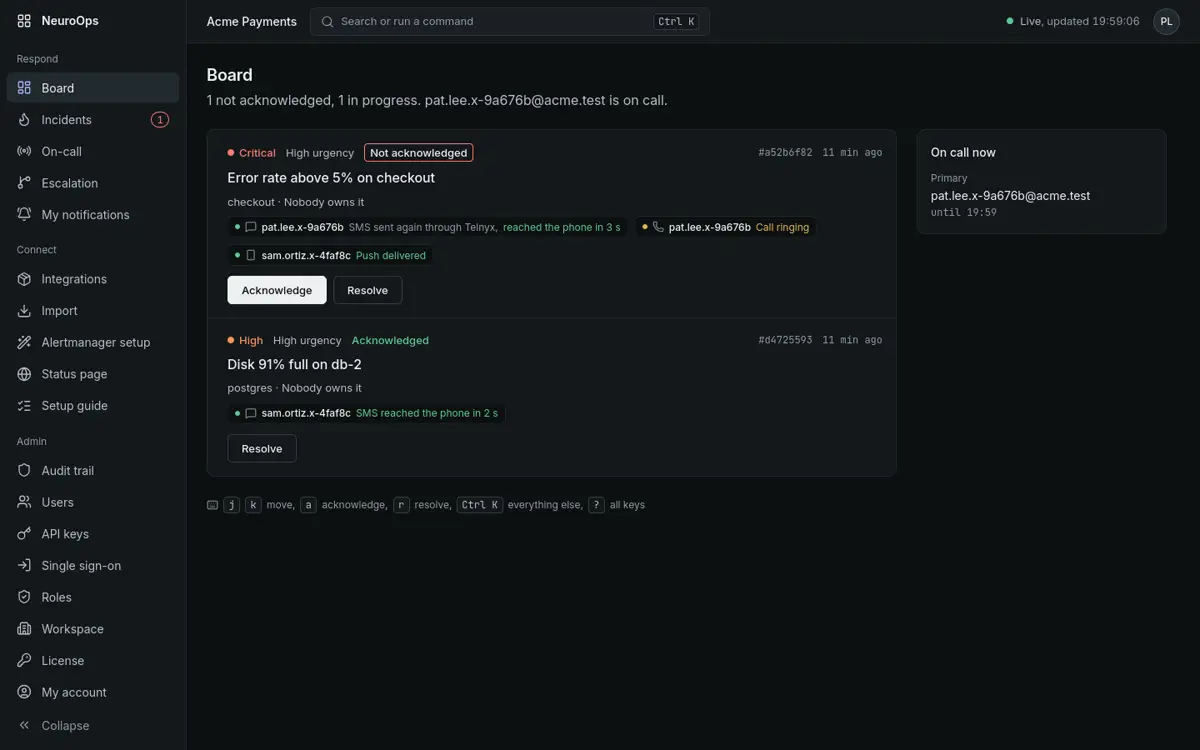
The board lists open incidents, most urgent first: not acknowledged, then by severity, then the one waiting longest. Each row shows the severity, the urgency, who owns it and every page sent for it: "SMS reached the phone in 3 s", "SMS sent again through Telnyx", "Call ringing". On call now shows who is on call and until when.
The board updates live. The top bar says Live with the time of the last update, or Stale when the connection dropped; it then checks every 60 seconds.
On a phone, a tab bar at the bottom holds Board, Incidents and On-call.
Keys
| Key | Does |
|---|---|
j / k |
Move down / up the board |
a |
Acknowledge the selected incident |
r |
Resolve the selected incident (with Undo) |
? |
Show all keys |
Ctrl K (⌘K on a Mac), or / |
Open the command bar |
Esc |
Close |
The command bar finds and does things by typing: open an incident by its number or service, acknowledge, resolve, page someone, mute its alerts, go to any page, or switch between the dark and light theme. Arrow keys move, Enter runs.
Incident page
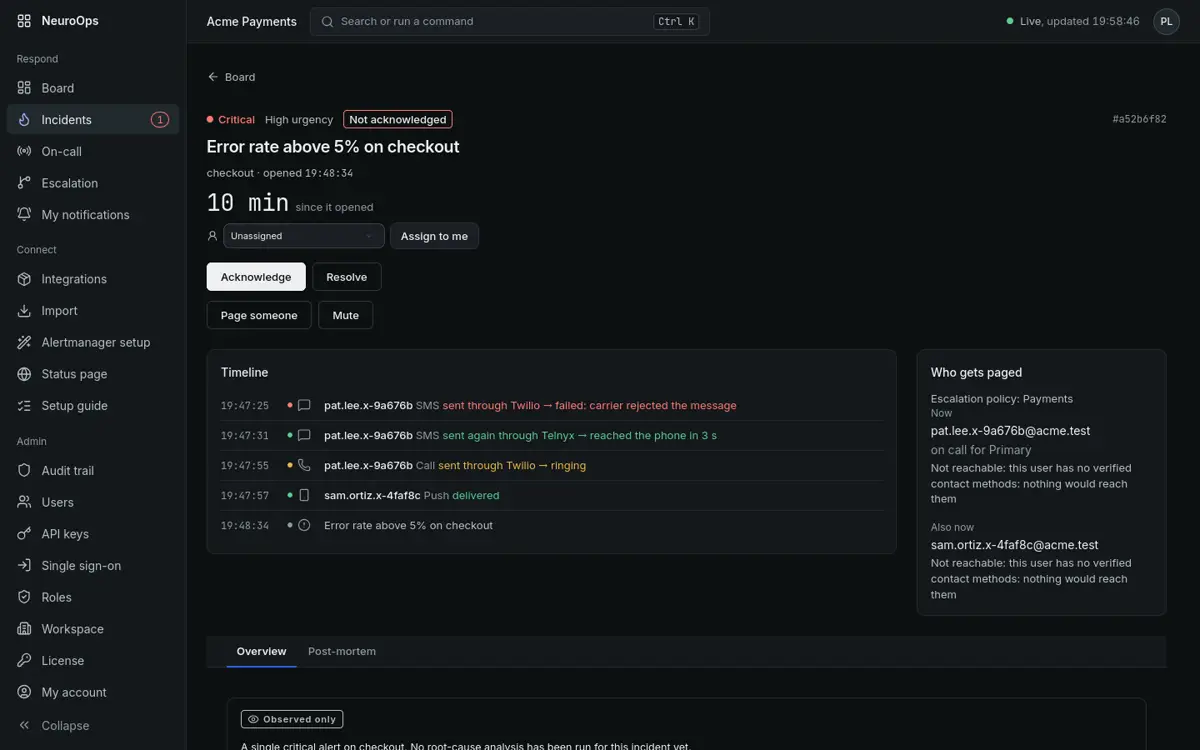
- Timeline: every alert, status change and page attempt, with the provider, whether it failed over, whether it reached the phone or why it failed, and who acknowledged and how.
- Who gets paged: who is paged now and next, from the escalation policy. Someone who can't be reached says why, for example "this user has no verified contact methods".
- Actions: Acknowledge, Resolve, Page someone, Mute, and assign. On a phone they sit in a bar at the bottom.
On-call
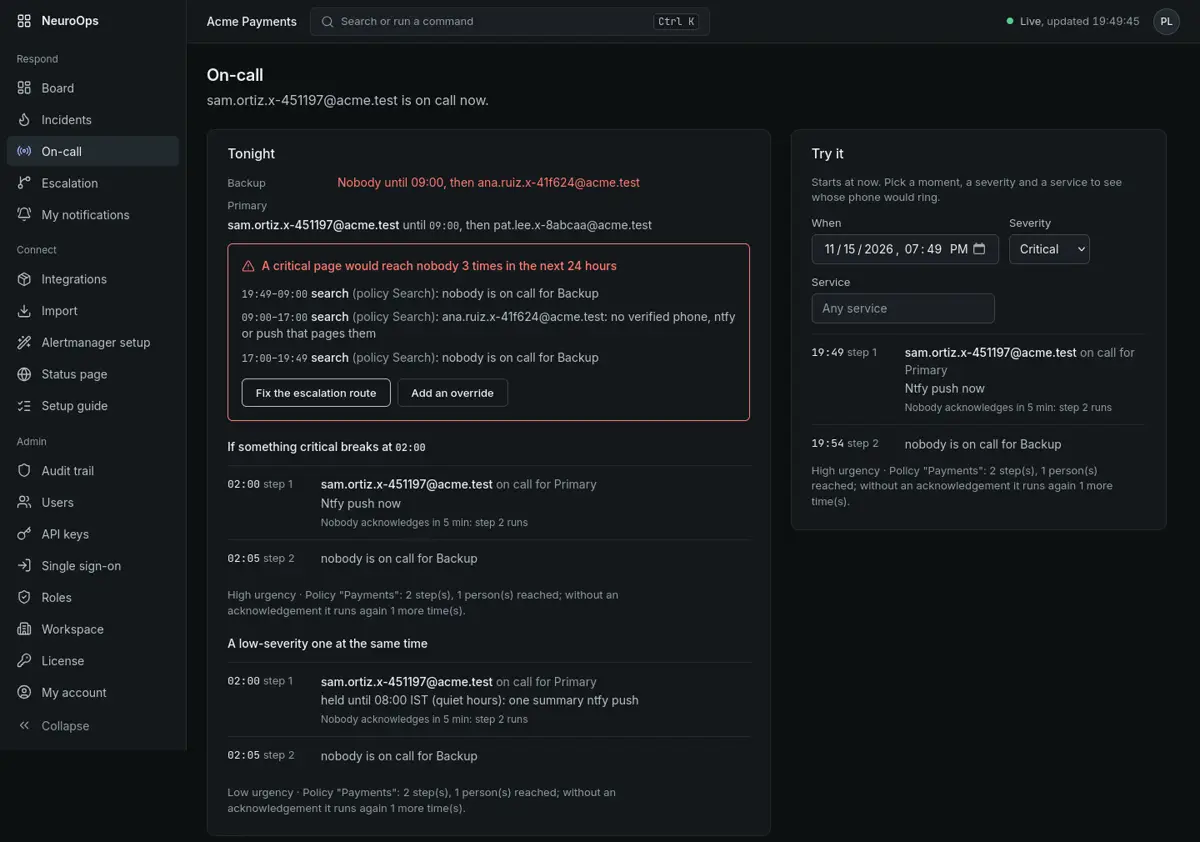
Tonight answers "if something breaks at 02:00, whose phone rings?" step by step, for a critical and for a low-severity incident. It lists the next 24 hours where a critical page would reach nobody, with links to fix the route or add an override. Try it answers the same for any time, severity and service.
The same page holds the schedules, overrides, your quiet hours and per-service urgency. See How paging decides.
Reliability Center (Enterprise)
Admin → Reliability shows whether pages are getting through: each phone provider's state and outages, pages sent again through the backup, the alert inbox with replay, the delivery canary, and five promises, each with a live check.
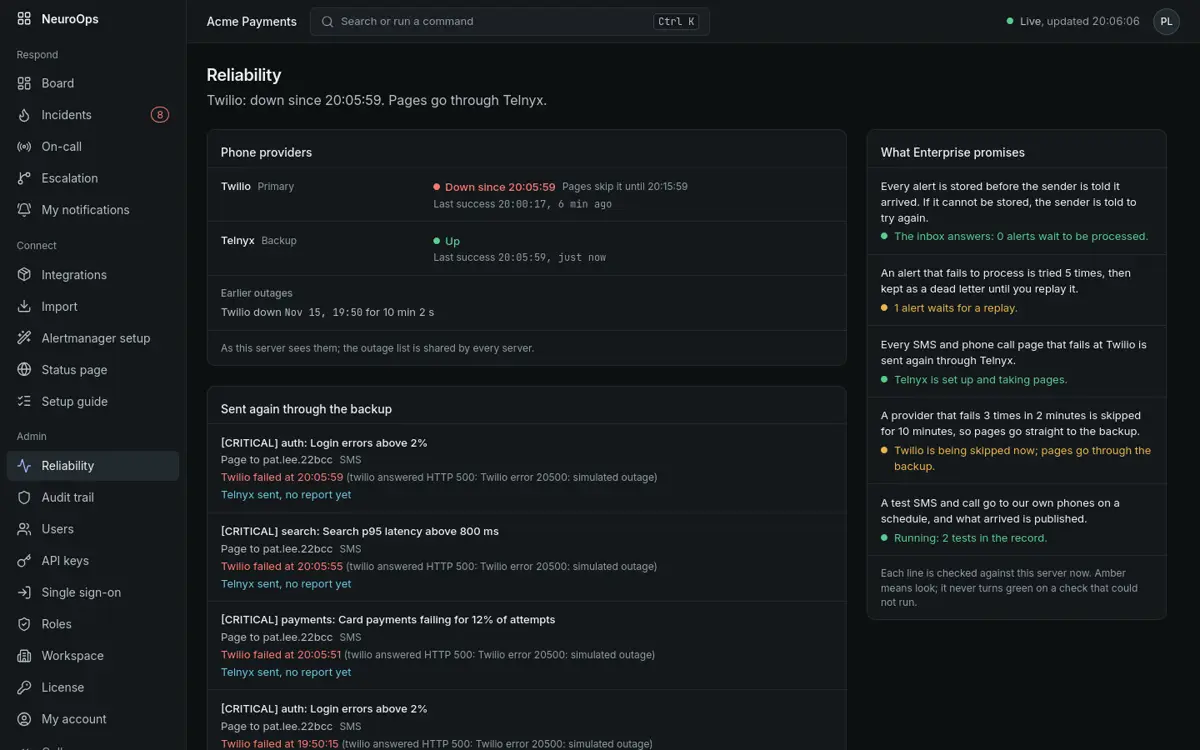
Pro workspaces see what the Reliability Center adds, without the data. Details: Telnyx failover.